
Main menu
You are here
iRedTouch
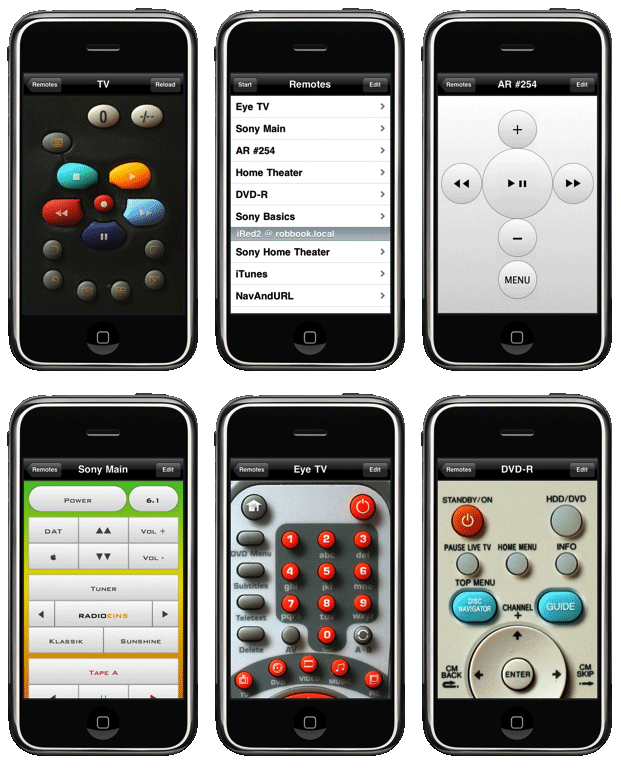
If you have an iPhone or iPod Touch:
- Put your infrared remotes into your mobile device
- Connect to an Infrared LAN module on your local Wi-Fi network - see supported modules below
- No PC/Mac required, learn and transmit all IR codes of your remotes
- Browse online repositories with remotes, or share your remotes with others
If you have a Mac:
- Connect to iRed2 on your Mac to use an IRTrans USB module
- Control applications on your Mac like PowerPoint, Keynote or media apps like iTunes or DVD Player
iRedTouch 1.10 is available on the App Store. (also in German)

What do I need?
- An iPhone or iPod Touch with iOS 8.3 or later (*) or on the iPad, but only in "zoomed" mode (**).
- If you have an iPad, please consider iRedTouch HD for iPad!
- Wireless network at home to connect to (no access through cellular networks!)
- An infrared LAN module, that is an infrared transmitter/receiver which is connected by cable or WiFi to your network
- Any remote you wish to "virtualize"
- A digital camera or a scanner to take a picture of your remote
- iTunes on PC or Mac to transfer the picture to the iPhone or iPod Touch
What infrared (IR) modules are supported?
- All IRTrans LAN modules, including the new WiFi module, the LAN Controller and HF (high frequency) modules to be used with B&O (Bang & Olufson) devices. Serial output and contact closures ("relays") are supported for certain modules.
- IRTrans USB modules can not be used directly, but only by using iRed2 on a Mac (see FAQ)
- Global Caché network adapter, including models of the GC-100 series and the iTach. Serial output and contact closures are now supported!
Screenshots?
Please visit the Gallery for lots of screenshots.
How does it work step by step?
A quick start video shows the full process from starting iRedTouch up to a working "virtualized" remote, using an iTach module.
The second video shows creation of a new remote using an IRTrans LAN module
More detailed instructions are to be found in the manual.
Problems? Questions?
There is a Troubleshooting section and a Support page, where you find a mail addrees for inquiries.
(*) Unfortunately it is no longer possible to support 1st gen iPod Touch and iPhone with iOS 3.x. This is due to restrictions set by Apple.
(**) Version for iPad is up-scaled to fit the iPad's screen. Use iRedTouch HD for full iPad support.